

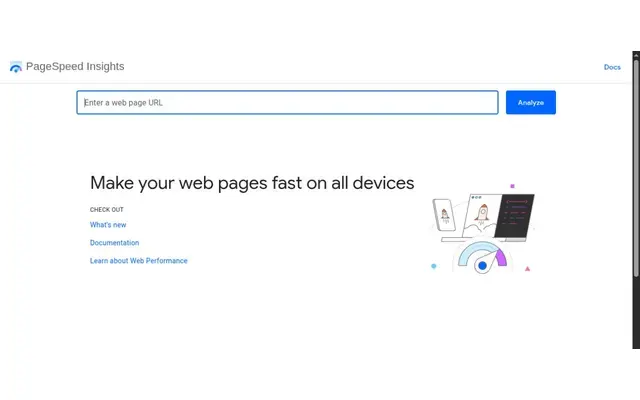
Is PageSpeed Insights reliable?
The top of the report is field data from the Chrome User Experience Report: real visits over the last 28 days, read at the 75th percentile. The bottom is a single Lighthouse run from a Google data center in North America, Europe or Asia, on mobile and desktop, scored for performance, accessibility, best practices and SEO. PageSpeed Insights has used Lighthouse 13 since October 2025.
The two often disagree, because one is history from your real audience and the other is a simulated load. The field data is what reflects your visitors. On mobile, the lab run emulates a mid-tier Moto G4 on a mobile network, and its score moves from one run to the next even when the page has not changed, depending on network conditions, the test machine and its load. A new or low-traffic page may have too few samples, in which case the tool falls back to your whole origin, or shows no field data at all.
Core Web Vitals thresholds in PageSpeed Insights
- LCP: good up to 2.5 s, needs improvement up to 4 s, poor beyond.
- INP: good up to 200 ms, needs improvement up to 500 ms, poor beyond.
- CLS: good up to 0.1, needs improvement up to 0.25, poor beyond.
A page passes the Core Web Vitals assessment when all three are good at the 75th percentile. Field data also requires the page to be public, crawlable and indexable.
Testing an age-gated site
Both the tool and the API take only a URL, with no cookie or login option. If your age gate appears to a visitor without a cookie, the Lighthouse run measures the gate. The field data still comes from real visitors who got past it. To test the page itself, use Lighthouse in Chrome DevTools, which keeps your cookies.
Using the PageSpeed Insights API
The v5 API returns the full report as JSON. It works without a key, though Google recommends one for automated queries. By default it runs only the Performance category and the desktop strategy. Google plans to stop including Chrome User Experience Report field data in this API and points to the CrUX API instead. Report links shared from the web tool last 30 days.
PageSpeed Insights strengths and limitations
Strengths
- Real Chrome user data, free, page by page.
- Nothing to install, shareable reports.
- An API for automated checks.
Limitations
- No cookies, so the lab test may measure the gate.
- No field data for low-traffic pages.
- Field data leaving the API.
Related tools
Lighthouse runs the same lab test on any page you can open in Chrome, past the age gate. The Core Web Vitals report in Google Search Console shows the same field data grouped across similar pages.
 Semrush
Semrush is an online SEO suite for keyword research, competitor analysis, site audits and rank tracking.
Read the review Semrush → Screaming Frog SEO Spider
Screaming Frog SEO Spider is a desktop crawler for Windows, macOS and Linux that flags over 300 SEO issues.
Read the review Screaming Frog SEO Spider → SEO PowerSuite
SEO PowerSuite bundles four desktop SEO apps for Windows, macOS and Linux: Rank Tracker, WebSite Auditor, SEO SpyGlass and LinkAssistant.
Read the review SEO PowerSuite → Sitebulb Desktop
Sitebulb Desktop is a technical SEO crawler for Windows and macOS from Sitebulb Limited, an English company.
Read the review Sitebulb Desktop →