
Age Verification and SEO: A Guide for Adult Websites
Planning an age check and worried about search traffic? What matters is the content your website actually sends to Google. Here is how to manage access, spot mistakes and check the result.
Can age verification hurt your SEO?
Yes, if it prevents Google from accessing your pages. But an age check does not automatically exclude a website from search results. Google documents this situation explicitly: after its identity has been verified, its crawler should be able to access the content without completing the age check required of visitors.
Imagine a video page with a title, description and player. If Google receives a “Verify your age” screen instead, it cannot see the elements that explain the page. Serving that same screen across your catalogue can therefore affect the visibility of many URLs.
To diagnose the problem, separate three questions:
- Crawling. Can Google retrieve the page and its resources?
- Indexing. Has it included the page in its index? An accessible page is not necessarily indexed.
- Ranking and filtering. Which searches does it appear for, and under which SafeSearch settings?
A traffic drop after installation deserves investigation, but it does not prove that the age check caused it. Start with what Google receives, then compare the affected pages and the dates of your changes.
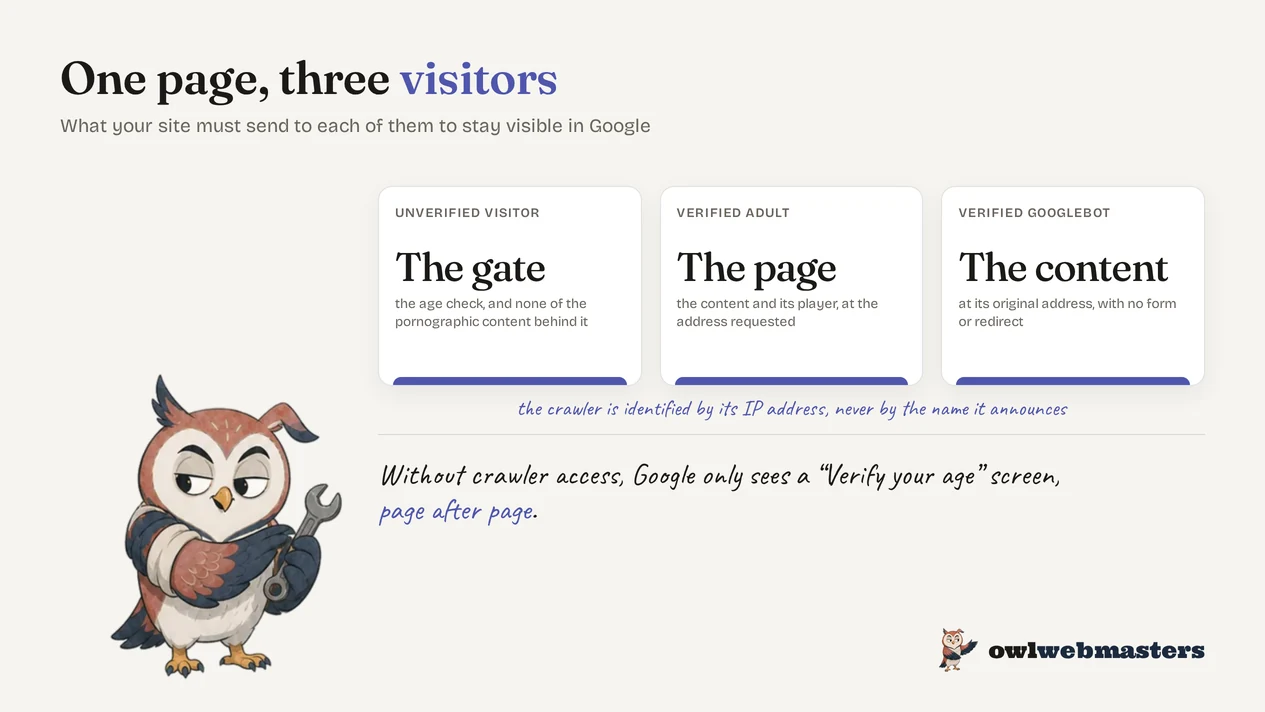
One page, three situations to handle
Take an example URL, /videos/example/, that you want people to find through search. The subject of the page does not change depending on who requests it. What changes is permission to access it.
| Who requests the page? | Expected result |
|---|---|
| An unverified visitor | They encounter the age check. Pornographic content remains inaccessible until the required verification succeeds. |
| An authorised adult | They reach the page they requested, including its content and player, without an unnecessary trip back to the homepage. |
| Verified Googlebot | It accesses the content intended for search at its original URL, without an age form or a redirect to one. |
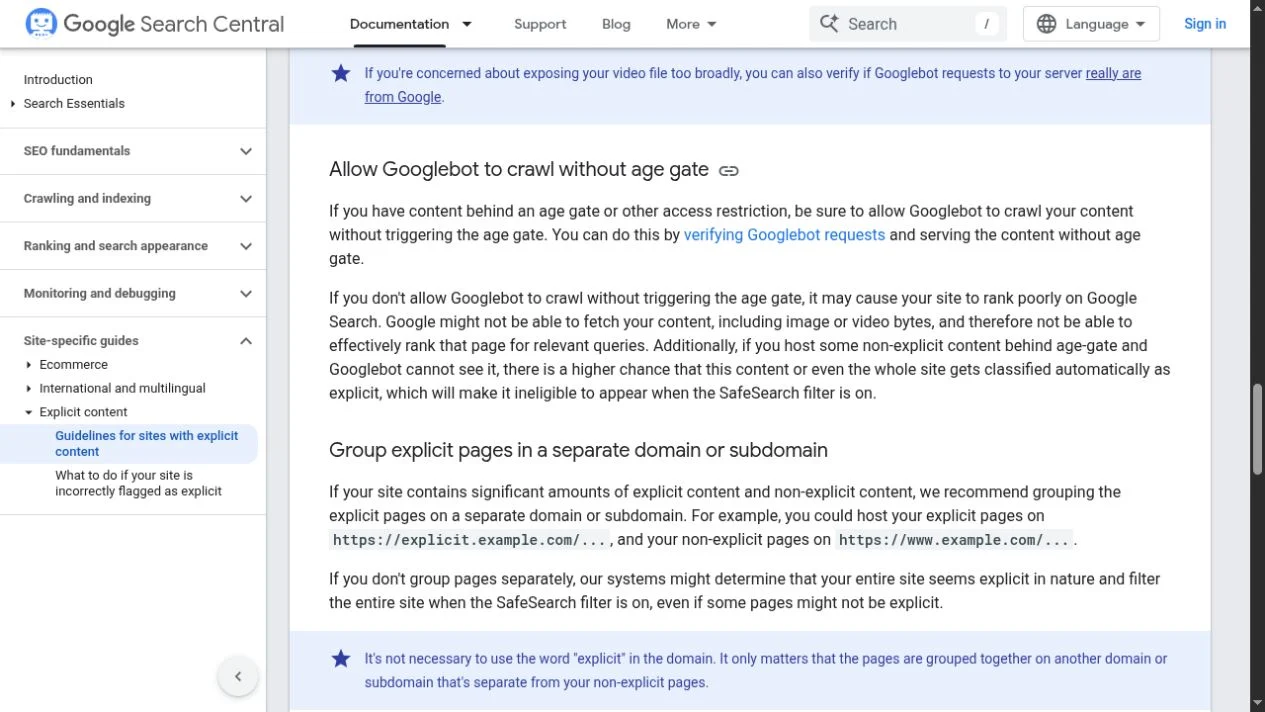
This follows Google’s guidelines for websites with age gates. The crawler also needs access to the necessary resources, including the relevant images and video files. Being able to read a page title alone does not establish that the whole setup works.
This exception concerns the content you want crawled. It is not a reason to open accounts, private data or administration areas to crawlers.
Set up an age check that actually controls access
Start with the requirements that apply to your activity and the countries you serve. Choose a window, an intermediate page or a provider afterwards. An interface displaying “18+” tells you little by itself about how age is verified.
In France, Arcom’s framework requires services within its scope to show an initial screen without pornographic content and prevent access until adulthood has been verified. A simple declaration checkbox is insufficient. In the UK, Ofcom requires highly effective age assurance for services within scope that allow pornography. Google’s rules do not replace these obligations.

A separate verification page
The visitor temporarily leaves the requested page to complete the check, then returns after verification. This can work if the verified crawler receives the original page directly. Test a deep link, such as a video page, as well as the homepage.
A window displayed over the page
A window can provide the interface for the check. However, if protected files have already reached the browser, hiding them visually does not make them inaccessible. The server needs to enforce permissions for that content, including requests made directly to media URLs.
Whether you use WordPress or a custom website, ask how the integration handles three things: visitor verification, crawler identification and caching. A plugin name or an “SEO compatible” setting does not answer those questions. Ask for the actual behaviour of a page and its media.
How do you identify the real Googlebot?
Googlebot announces its name in the User-Agent, an identifier sent with the request. That identifier is easy to imitate. It must never be enough to remove the age check.
Verification relies on the IP address the request came from. Google publishes the ranges used by its common crawlers, including Googlebot. Your technical team can compare the IP against that list and keep it updated. There is also a DNS verification method, explained below.
For technical implementation: IP and DNS checks
Use the official common-crawlers.json list for the relevant crawlers in that category. Google’s other lists serve different purposes. Allowing every address hosted by Google would be too broad.
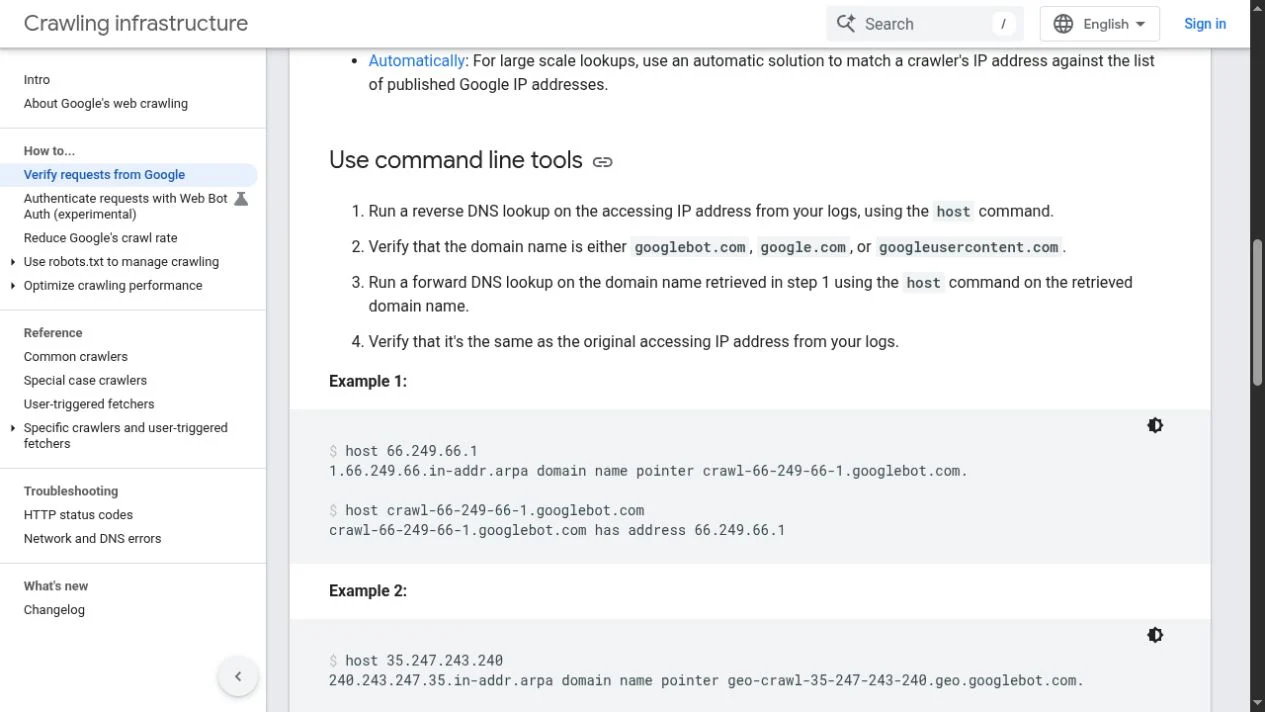
To verify a request through DNS, follow the three steps in the documentation:
- Find the hostname associated with the IP address through a reverse DNS lookup.
- Check the expected domain for that crawler. Google publishes Googlebot hostnames under
googlebot.com, includinggeo.googlebot.com. - Resolve that hostname in the other direction and confirm that the response includes the original IP address.
Check the complete domain suffix and its boundary. A name such as googlebot.com.example.net does not belong to Googlebot. Matching the two lookups is insufficient unless you have also checked the domain.
If a CDN or proxy forwards requests, obtain the original IP only from a relay configured as trusted. Do not grant access based on a header that any client can supply. Handle DNS failures without opening access by default.
You can ask your developer or hosting provider to handle this part. Have them show a verified Google request in the server logs and the response it received. The test should also confirm that an ordinary request claiming to be Googlebot still encounters the age check.
Mistakes that can undermine the setup
Sending Google to the age form
Opening the website in your browser is not enough: you may have already verified your age. Meanwhile, Google could be redirected to the same age page on every visit. Check the final URL and the content returned to the crawler, even when the server responds with a 200 status.
Creating an artificial version for the crawler
The age gate exception does not allow a page stuffed with keywords that visitors will never see. Google calls deceptive differences in content intended to manipulate rankings cloaking. The crawler should receive the content available to an authorised visitor.
Forgetting images and video files
The page may be accessible while the media server refuses Google access to the files. Check thumbnails, videos and any separate delivery domains individually. Google says that being unable to retrieve explicit videos can affect rankings, particularly in video results.
Letting the cache mix up responses
A cache stores responses for reuse. If it ignores access permissions, it can send the age screen to Google or a protected response to an unverified visitor. Test both situations, including after an authorised adult has visited and after the crawler has passed through.
Confusing access protection with indexing instructions
A restriction in robots.txt can prevent crawling. A noindex directive asks search engines not to index a page. Neither instruction verifies visitors’ ages. Check that these rules do not accidentally affect pages you want to appear in Google.
SafeSearch and indexing are different issues
A page can be indexed yet absent from results when SafeSearch is set to Filter. That differs from a page Google cannot crawl. For an adult website, the aim is for the search engine to understand the content correctly and respect search preferences.
This distinction also matters for pages without explicit content. If Google cannot read them behind an age gate, it may classify them as explicit along with the rest of the website.
When a website has substantial amounts of both explicit and non-explicit content, Google recommends placing the explicit pages on a separate domain or subdomain. This can help distinguish an adult catalogue from a non-explicit information section, for example. It does not guarantee how each page will be classified.
Which tag should adult pages use?
Google recommends the following markup for sexually explicit pages. It belongs in the <head> section of the HTML:
<meta name="rating" content="adult">The RTA tag is a recognised alternative:
<meta name="rating" content="RTA-5042-1996-1400-1577-RTA">Either tag is sufficient. This markup helps Google identify explicit content for SafeSearch. It replaces neither age verification nor access control, and it is not a way to gain ranking positions.
If your website also publishes non-explicit pages, check that your page template does not add the tag indiscriminately.
How should you test before and after launch?
Prepare a small representative sample: the homepage, a catalogue page, a video page and a non-explicit page if you have one. Record their indexing status before the change. This gives you specific points of comparison.
Before launch: check actual access
- Without age verification: open each URL in a fresh session and request protected media directly. It should remain inaccessible.
- After verification: return to the page originally requested, check its content and start the player on desktop and mobile.
- Under the rules intended for Google: have your team check request identification, redirects, accessible files and cache separation.
Run these checks in your test environment, then confirm them in production. The public server and CDN may have different rules from your local installation.
After deployment: check Search Console
- Inspect a specific URL. Read the information Google already has and the last crawl date.
- Run the live URL test. It checks the version currently being served, which may differ from the crawler’s last visit.
- Examine the tested page. Review the HTML, the screenshot when available and the loaded resources. Look for the actual page content, not just an access success message.
- Compare with server logs. Look for access refusals, redirects and media errors at the times of your tests and Googlebot visits.
One useful detail: testing tools use identifiers including Google-InspectionTool, which is distinct from Googlebot. If their results differ, have your team check the rules applied to each and how requests are authenticated. Allowing the testing tool does not necessarily allow the search crawler.
A successful test confirms technical points, not a position in Google. After fixing issues, you can request indexing again and follow the affected pages in the indexing and performance reports. If traffic falls, distinguish lost search visibility from visitors abandoning the age check.
Keep a record of the URLs tested, the settings and the installation date. When you next change a plugin, provider or CDN, you can repeat the same checks and quickly identify what has changed.
If the site does not exist yet, the guide to starting your first porn site places age verification among the eight decisions to make before launch.
Sources
Official sources consulted on September 6, 2026. The example journeys and checklist are our practical application of these recommendations.
- Google Search Central: explicit content, age gates and SafeSearch
- Google: verifying the origin of requests
- Google: IP ranges for common crawlers
- Google: the role of Google-InspectionTool
- Google Search Central: cloaking policies
- Search Console: using URL Inspection
- Arcom: technical framework for age verification
- Ofcom: requirements for services that allow pornography
This guide covers SEO and technical checks. Assess your service’s obligations according to its circumstances and the countries concerned.