

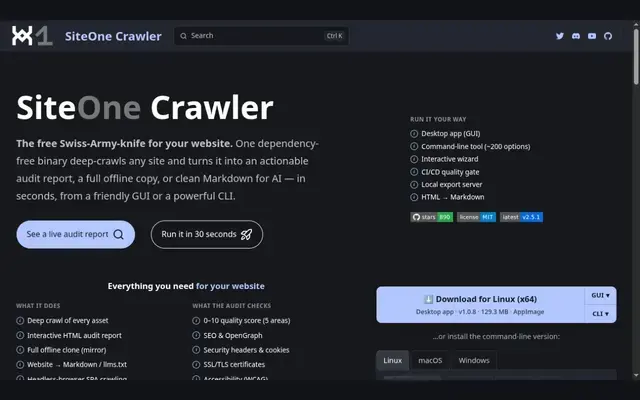
Using SiteOne Crawler as a CI quality gate
Run it with --ci and it exits with code 10 when the overall score, a category score, the count of 404s or the count of server errors crosses the thresholds you set. For a tube or paysite that ships template changes often, that can stop a deploy that would break links or trigger server errors before visitors see it.
How the quality score works
Each audit scores the site from 0 to 10 as a weighted average of five categories: security 25%, performance 20%, SEO 20%, accessibility 20% and best practices 15%. Reports come out as interactive HTML, JSON or text. You can email them, or upload them to crawler.siteone.io, where they stay for 30 days by default. Nothing is uploaded unless you pass --upload, and an uploaded report can be password-protected.
Can SiteOne Crawler get past an age gate?
No. It supports basic HTTP auth, a custom user agent and a proxy, but has no flag for a custom cookie or other header. A gate that remembers the visitor's answer in a cookie stops the crawl at the first page. To audit a whole gated site, crawl a password-protected staging copy without the gate, or use Sitebulb Desktop, which can send custom cookies.
Other SiteOne Crawler features
- Optional Chromium rendering with screenshots for JavaScript-heavy pages.
- Offline site copy, Markdown export and sitemap generation.
- An optional AI assistant on OpenAI, Anthropic, Gemini or any compatible endpoint.
- Gentle defaults: three workers and a 2 GB memory limit.
The binary has no runtime dependencies and runs on Linux and macOS (x64 and arm64) and Windows x64. The desktop app stopped at version 1.0.8 in August 2024, while the CLI reached 2.5.1 in June 2026. Ján Regeš wrote 766 of the 776 commits on GitHub, so the project depends on a single maintainer.
SiteOne Crawler strengths and limitations
Strengths
- Free and open source under MIT.
- Quality score and a CI gate.
- Linux, macOS and Windows, no dependencies.
Limitations
- No cookie support for age gates.
- Command line first, desktop app no longer updated.
- Essentially a one-person project.
Paid alternatives with a GUI
Sitebulb Desktop has a graphical interface and accepts custom cookies and headers, from $18 a month. The free version of Screaming Frog caps each crawl at 500 URLs, while SiteOne Crawler visits up to 10,000 by default and lets you raise that with --max-visited-urls.
 Semrush
Semrush is an online SEO suite for keyword research, competitor analysis, site audits and rank tracking.
Read the review Semrush → Screaming Frog SEO Spider
Screaming Frog SEO Spider is a desktop crawler for Windows, macOS and Linux that flags over 300 SEO issues.
Read the review Screaming Frog SEO Spider → SEO PowerSuite
SEO PowerSuite bundles four desktop SEO apps for Windows, macOS and Linux: Rank Tracker, WebSite Auditor, SEO SpyGlass and LinkAssistant.
Read the review SEO PowerSuite → Sitebulb Desktop
Sitebulb Desktop is a technical SEO crawler for Windows and macOS from Sitebulb Limited, an English company.
Read the review Sitebulb Desktop →