

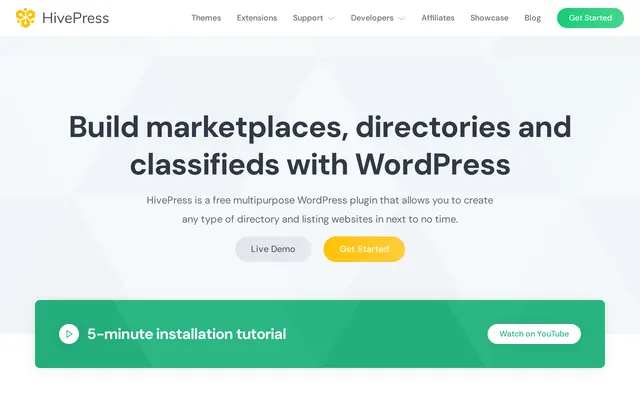
What HivePress add-ons cost
Each add-on is a one-time purchase for one site, with lifetime updates and six months of support. The bundle unlocks every theme and add-on for as long as you pay. Prices are in US dollars before tax, checkout runs through Paddle, and any license can be refunded within 30 days without giving a reason.
| Purchase | Price |
|---|---|
| Memberships, Marketplace, Bookings, Requests, Search Alerts | $39 each |
| SEO, Statistics, Tags, Import, Badges and four more | $29 each |
| Bundle, one site | $99 a year |
| Bundle, unlimited sites | $199 a year |
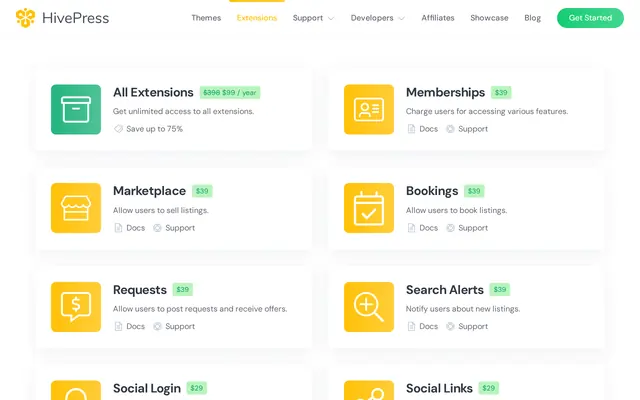
A directory that sells access plans and takes a cut of sales needs Memberships and Marketplace, $78 once. The bundle pays off in its first year from three add-ons on the top row, or one of them plus a paid theme. Extending support on an add-on from six to twelve months costs $9.75 at checkout.
The free HivePress core
The core handles listings, multi-level categories, custom fields and search filters. Each user gets a front-end dashboard to add and edit listings, and listing pages and email notifications can be reworked in the block editor. Five free add-ons cover favorites, private messages, geolocation, reviews and listing claims. Version 1.7.31 needs WordPress 5.0 and PHP 7.4.
Charging listing owners on HivePress
Paid Listings, the free add-on that sold listing packages, is no longer in active development. It still runs on more than 4,000 sites, and its page points to Memberships instead. Memberships can charge for submitting a listing, cap listings per plan and sell featured placement. Claim Listings, which is free, charges owners who want to take over a listing you published. Marketplace takes a percentage or a fixed fee on every sale made through the directory.
Taking adult payments with HivePress
HivePress handles no money itself: Memberships, Marketplace and paid listings all run through WooCommerce. That is one more plugin to keep updated, but it is where the payment gateway plugs in. CCBill and Verotel each publish a WooCommerce gateway on WordPress.org under their own accounts, so an adult directory can connect a high-risk processor without code.
HivePress support
HivePress aims to answer within 24 hours, excluding weekends and public holidays, through a forum, email or an AI assistant. It fixes bugs and explains settings but does no customization. A single-site license used on several domains at once may be blocked without notice, so plan for that if you run a staging copy.
Strengths and limits of HivePress
Strengths
- A free core under GPLv3.
- A working directory straight after install.
- One-time pricing per add-on.
- A 30-day refund window.
Limitations
- Paid Listings retired, replaced by a paid add-on.
- WooCommerce required to take payments.
- No customization from support.
- One license per site.
HivePress vs Osclass
Osclass is a standalone PHP classifieds script under the Apache 2.0 license that runs without WordPress. It has fewer moving parts but a smaller add-on catalog. Choose HivePress if the directory sits next to a WordPress blog, and Osclass if the directory is the whole site.
 Osclass